Noise Cancelling Headphones With Mic: Choosing for Clear Calls
Noise cancelling headphones with mic combine two separate features: ANC for what you hear and mic processing for what callers hear. Here is how to choose and verify both.
The Folio & Current Team
October 26, 2026 · 6 min read · Updated November 17, 2026

Noise cancelling headphones with mic are two features in one product: active noise cancellation (ANC) quiets what you hear, and microphone processing shapes what the other person hears. A pair can have one without the other, so check both. A short recorded call test, described below, shows you the result.
This guide explains the difference, helps you pick a wearing style for your room and workday, and gives you a repeatable test to run before you keep a pair.
ANC and mic noise reduction are different features
ANC uses small microphones on the outside of the earcups to pick up steady ambient sound, then plays an opposing signal so that sound is reduced at your ear. It works on external noise reaching you, such as a fan, a hum or traffic rumble. It does nothing to the signal leaving your mic.
Mic noise reduction is a separate job. The microphone, its position and its processing decide how much background noise reaches the caller. Product pages may call this ENC, mic filtering, DSP processing or a multi-mic array.
| Feature | What it affects | Where it lives | What to look for |
|---|---|---|---|
| Active noise cancellation | What you hear | Earcups or earpieces | A noise cancellation mode you can switch on and off |
| Passive isolation | What you hear | Cushion and fit | Over-ear cushions that seal around the ear |
| Mic noise reduction | What the caller hears | Microphone and processing | Boom mic, multi-mic array, mic filtering or DSP |
If you work from home near a dishwasher, a street or a family room, the last row of the table matters as much as the first.
Do noise cancelling headphones block voices?
They reduce steady, low-pitched sound most. Voices are irregular and sit in a range that is harder to cancel, so you may still hear a coworker or a television at a lower level. Passive isolation from a snug over-ear cushion adds to what ANC does.
If you need to hear people, choose a single-ear headset that leaves the other ear open. If you need to shut out a shared room, an over-ear pair with a noise cancellation mode is the more suitable shape. Either way, stay aware of traffic and your surroundings, and follow the manual.
Pick a wearing style first
The form factor sets what is possible, so decide it before comparing features.
| Style | Ear coverage | Suits | Trade-off |
|---|---|---|---|
| Over-ear headphones | Both ears, sealed cushions | Shared rooms, travel, long desk sessions | Built-in mic sits away from your mouth |
| Single-ear boom headset | One ear, one open | Phone calls, meetings, staying aware of the room | No stereo music experience |
| Hook-style headset with boom | One ear, hook on the outer ear | Hands-free calls, switching phone and laptop | Mic quality depends on boom placement |
Over-ear: cushioned fit for your ears
Sonovia is an over-ear wireless pair with memory foam cushions and an adjustable headband. It connects over Bluetooth to a phone, tablet or laptop, for music and calls. Controls on the earcup handle tracks, volume and calls.
For a deeper look at this style, see our guide to wireless over-ear noise canceling headphones, which covers cushions, fit and ANC modes.
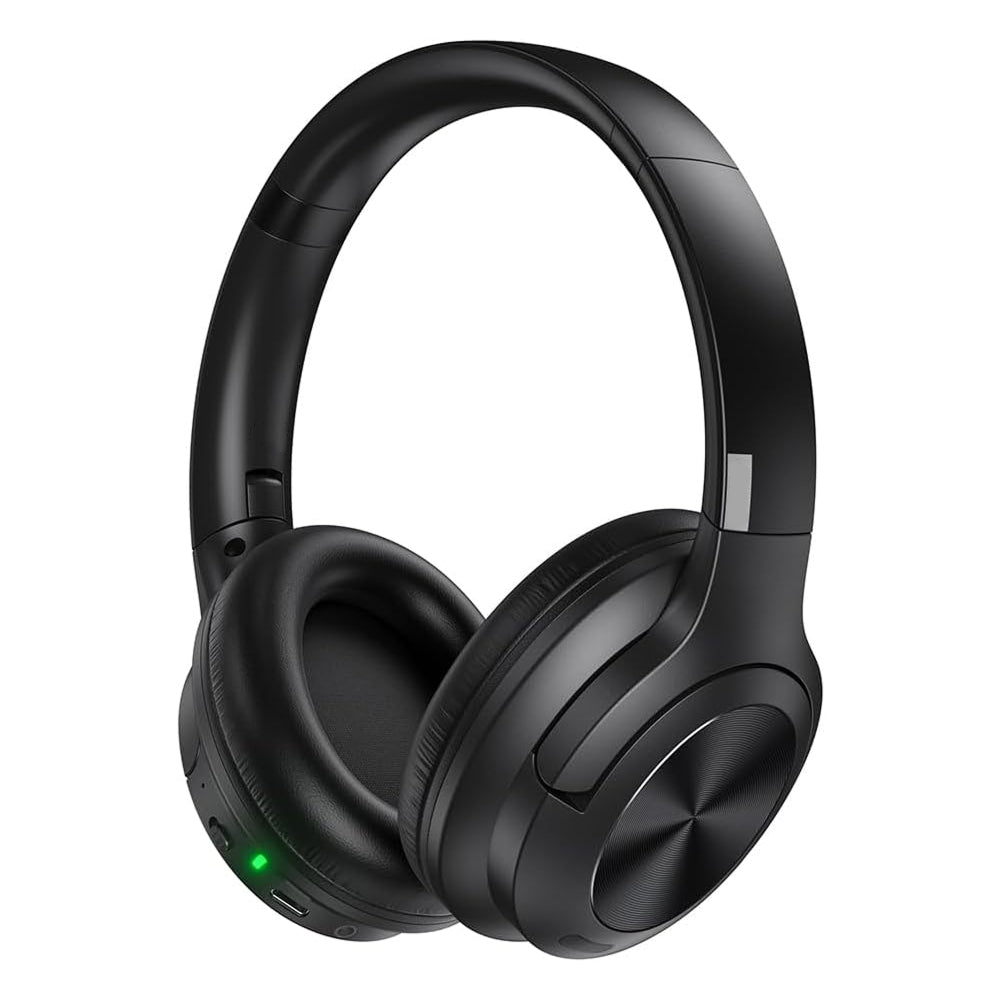 In this guideSonovia$99.99View

Boom headsets: a mic built for your voice
A boom places the microphone near the corner of your mouth, which changes what the caller hears in a way ANC settings do not. ClearAxis is a hands-free Bluetooth 5.2 headset with a directional boom microphone and DSP processing applied to the mic signal before it reaches the other person. Its memory-wire hook rests on the outer ear, the dual-axis earpiece rotates and the boom flexes, so you set the fit by hand.
TalkForge is a single-ear Bluetooth 5.2 headset with a four-mic array on a boom that rotates 360 degrees. It weighs 0.4 oz and comes with three silicone ear-tip sizes and a spare ear hook. The other ear stays uncovered, so you can hear the room while a call is active.
Both offer two-device pairing with a phone and a laptop at once, so you can move between a phone call and a video meeting without re-pairing.
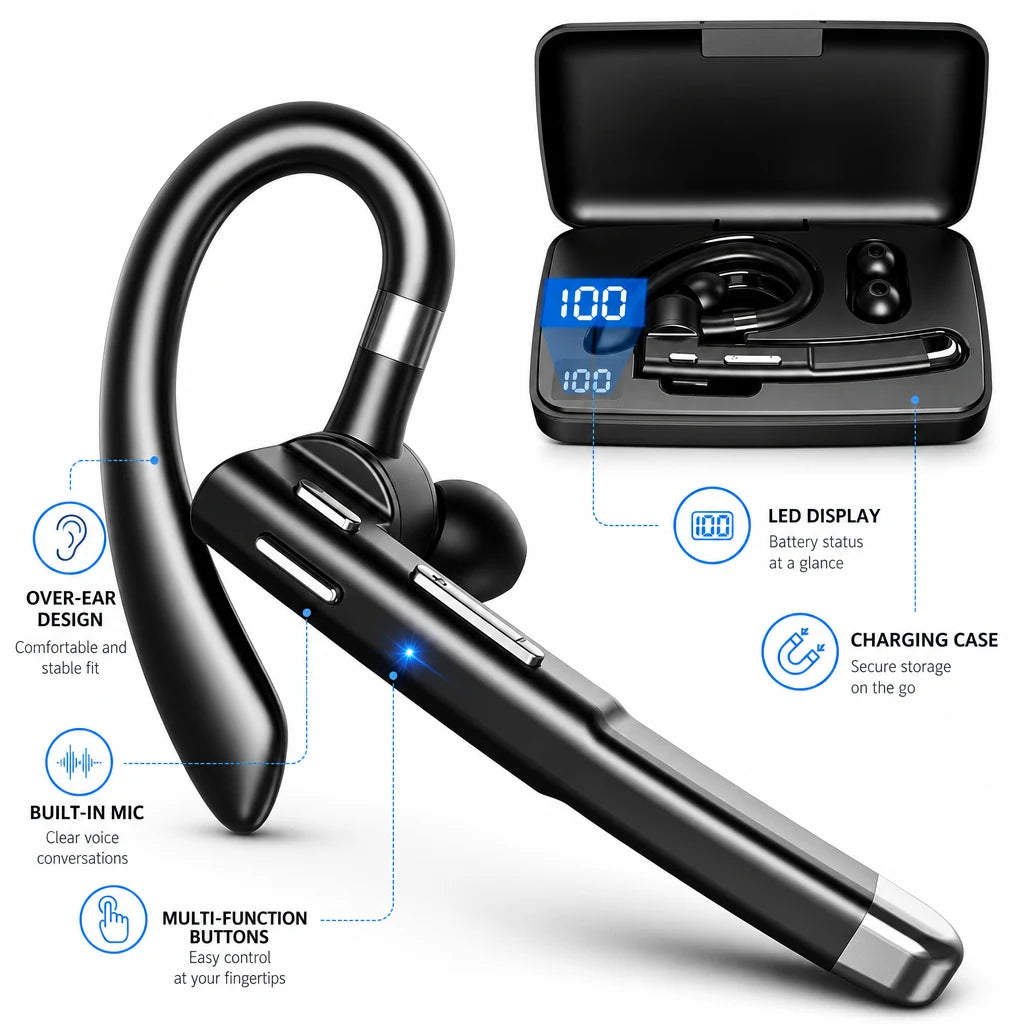 In this guideTalkForge$99.99View
Wired or wireless
Wired noise cancelling headphones with mic skip pairing, though some still need power for the noise cancellation circuit, so check the manual. They also need a matching port on your laptop or phone, and the cable can snag on a desk. Wireless models use Bluetooth, which suits moving between rooms and switching devices.
With wireless, check how many devices can connect at once. Multi-device support matters if you take calls on a phone while a laptop is open. Also confirm the mic works during calls in your specific apps, since some devices switch audio modes when the mic turns on.
How to test noise cancelling headphones with mic
Spec sheets describe features; a recording shows the result. Run this recorded call test before the return window closes, and use the same steps for every pair you compare.
- Pick a recording app or a meeting tool that lets you record yourself, and set the headset as both input and output.
- Fit the headset as the manual describes. For a boom, aim the tip toward the corner of your mouth.
- Record a short passage of normal speech in a quiet room. This is your baseline.
- Repeat the same passage in your real work spot with the usual noise running: a fan, a TV in another room, a keyboard, a street outside.
- Play both recordings back through speakers, not the headset. Listen for your voice dropping out, a muffled tone, or background sound pumping in and out.
- Ask a friend to join a real call and say what they hear. If the model has ANC, repeat once with it switched on to check whether the mic behaves differently.
- Walk and talk for a short stretch. Wind and cable movement show up as thumps in the recording.
Write one line per pair: voice clear, background audible, or voice distorted. A clear baseline recording with a noisy second take points to the mic. A muffled baseline points to placement or fit.

Field note
Record the same sentence in every test, such as a short line with lots of s and t sounds. Differences in clarity are easier to hear when the words are identical.
Which mic setup suits noise reduction
A mic close to your mouth is aimed at your voice rather than the room, so a boom is a reasonable starting point. A directional pickup favors what is in front of it, and several mics let the processing compare signals. A built-in earcup mic sits farther from your mouth and relies on mic filtering.
None of these works the same in every room. The recorded call test is how you confirm that a given pair works for your voice and your noise. For general background on choosing a headset for remote work, see a work-from-home headset buying guide.
Common mistakes
- Assuming ANC cleans up your outgoing voice. It acts on what reaches your ears.
- Leaving the boom pointed at your chin or cheek instead of the corner of your mouth.
- Testing only in a quiet room, then using the pair next to a window or a vacuum.
- Skipping the device selection step, so calls use the laptop mic instead of the headset mic.
- Ignoring fit. Swap ear-tip sizes or adjust the hook until the headset stays steady while you talk.
Setup checklist for working from home
Before you commit to noise cancelling headphones with mic for daily calls, work through this list once.
- Charge the headset and update the firmware if the manual lists it.
- Pair with your main device, then add a second one if supported.
- Set the headset as input and output in your meeting app.
- Choose ANC on for shared spaces, or an open-ear style when you need to hear the room.
- Run the recorded call test and keep the notes.
- Store the headset in its case or box between calls.
To compare more models, browse the Headphones & Earbuds collection. If you also game on a PC, our guide to wireless gaming headsets for PC covers mic placement for that use.