Wireless Over Ear Noise Canceling Headphones: How to Choose
Choose wireless over ear noise canceling headphones by use case: weigh noise cancellation, cushion comfort, battery and microphone quality against where you listen most.
Ryan Kessler
October 19, 2026 · 6 min read
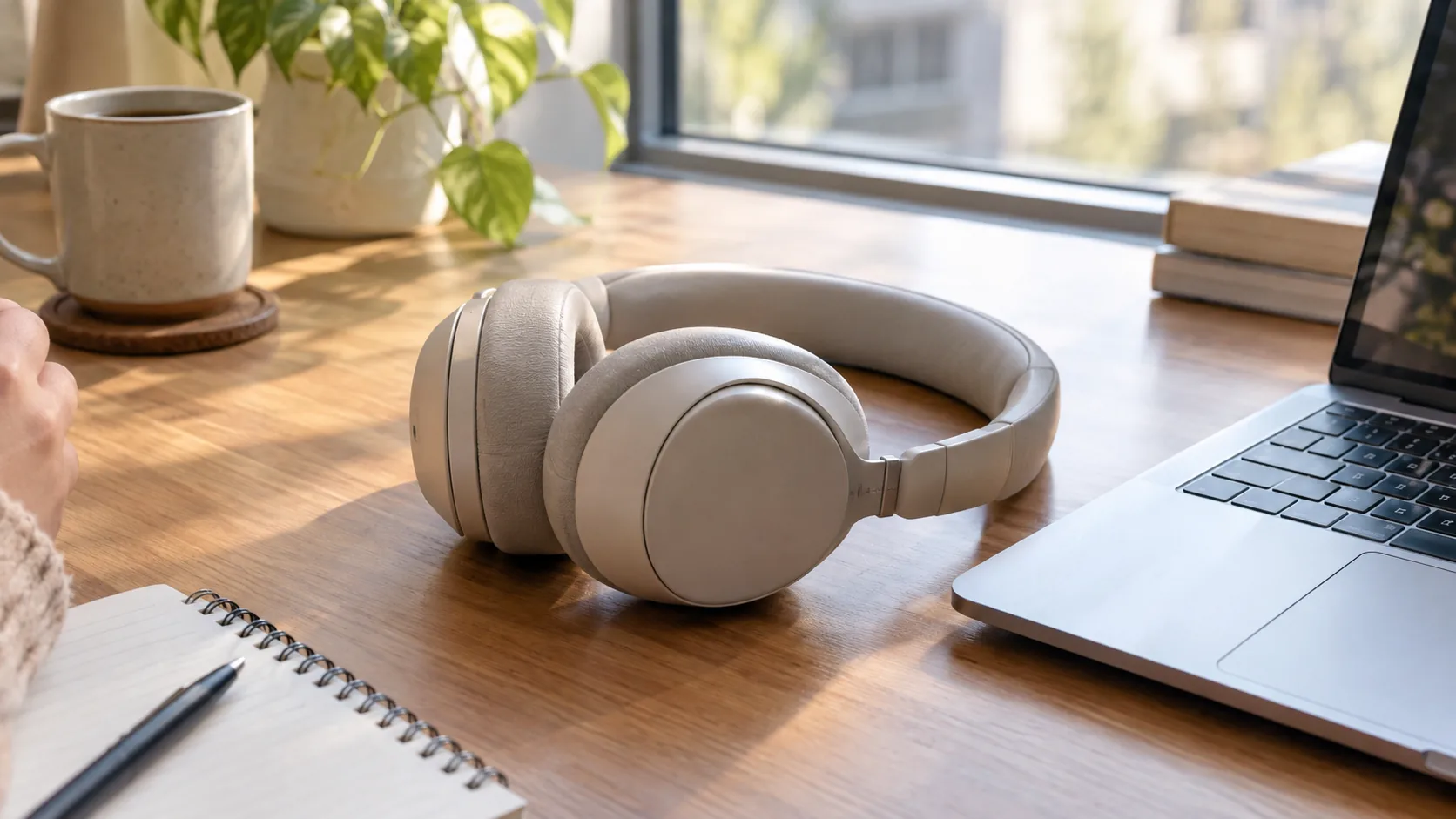
Wireless over ear noise canceling headphones pair over Bluetooth, sit fully around your ears, and use microphones plus a processing circuit to reduce steady background sound. To choose a pair, rank four things by where you listen: noise cancellation, cushion comfort, battery, and microphone quality for calls. The table below turns that into a decision for commutes, offices, and flights.
Each section covers one choice you have to make. Where it helps, you will also see how our Sonovia headphones line up with the checklist.
How wireless over ear noise canceling headphones work
Active noise cancellation (ANC) uses small microphones to pick up outside sound. The headphones then play a matching signal designed to counter it. This approach works on steady sounds such as engine hum or air conditioning, while sudden sounds like voices and clatter are harder to counter.
The over-ear shape adds a second layer. Cushions that enclose the ear block part of the sound before ANC does anything, which is why passive isolation and cushion fit matter as much as the ANC mode itself.
The wireless part is separate. Audio travels over Bluetooth from your phone, tablet, or laptop, so no audio cable is needed. Noise cancellation runs on the headphones' own battery, so the two features share one power source.
Decision table: match features to where you listen
Use this table as a first filter. Find your main setting, then check the listed priority on any product page before you buy.
| Use case | Top priority | Also check | Skip worrying about |
|---|---|---|---|
| Daily commute | ANC mode that handles steady transit noise | Earcup controls you can use without a phone, a fold or case for the bag | Extra codecs and equalizer menus |
| Open-plan office | Cushion comfort for long wear, built-in microphone | Multi-device pairing for laptop and phone | Travel case size |
| Flights | ANC strength and a hard case | Charging cable included, adjustable headband | Call quality |
| Working from home | Microphone with filtering, device switching | Headband adjustment, cushion material | Maximum ANC level |
| Study sessions | Light clamp, comfort over hours | Basic controls on the earcup | Wireless range |

What to check, feature by feature
Noise cancellation
Look for a clearly named noise cancellation mode and a way to switch it off. Steady low-frequency sound is what ANC targets, so judge it against your own environment: a train, a plane cabin, or a ventilation system.
Treat any spec-sheet decibel number with caution, because manufacturers measure differently. Ask instead how many modes you get and how you toggle them.
Comfort and fit
Comfort decides whether you keep wearing them. Check the cushion material, the weight, and whether the headband adjusts. Memory foam cushions conform to the shape around your ears, and an adjustable headband lets you set the fit to your head.
If you wear glasses, press-test the cushion seal along the temple arms. A gap there lets outside sound leak in and weakens the isolation the cushion provides.
Battery and charging
Read the listed playing time on the product page and note whether it applies with ANC on. Confirm the charging connector matches the cables you already own, and check that a charging cable is in the box.
Plan for the habit, not just the number. If you commute daily and charge at your desk, a modest battery is fine. If you fly long-haul, you want a pair you can top up on the go.
Call quality
A built-in microphone matters for video meetings. Look for mic filtering, which narrows what the microphone passes along, and check that the call controls sit on the earcup so you can answer or mute without reaching for your phone.
If calls are your main use, place the headphones on your head and record a short voice memo before you commit, then play it back.
Connections and controls
Bluetooth 5.0 or newer handles pairing with phones, tablets, and laptops. Multi-device pairing lets you keep a laptop and phone registered together, though you switch between them from your device settings.
Earcup controls for tracks, volume, and calls are worth having, since they work with gloves off or a phone in a pocket.
Where Sonovia fits
Sonovia is one of the wireless over ear noise canceling headphones we stock: a pair of over-ear wireless headphones with active noise cancellation and Bluetooth 5.0. They connect to phones, tablets, and laptops, and you can pair more than one device.
Soft memory foam cushions sit over the ears, and the adjustable headband sets the fit. Controls on the earcup handle tracks, volume, and calls, and the built-in microphone uses mic filtering for your voice.
The box includes the headphones, a USB charging cable, a protective hard case, and a quick-start user guide. The over-ear shape suits travel, study sessions, and desk use, which covers most rows of the table above.
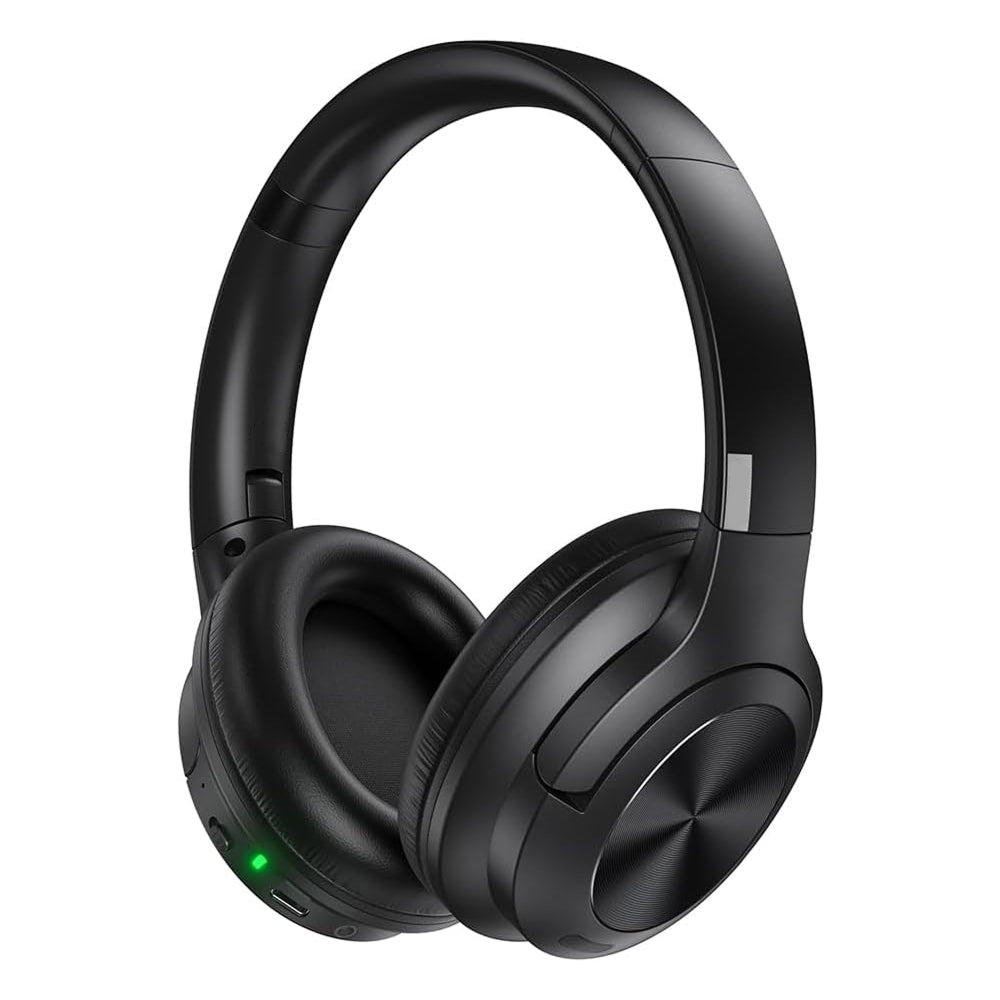 In this guideSonovia$99.99View
Field note
Check the cushions before you check the specs. Wear any candidate pair for an hour with your glasses or earrings on; a spot that bothers you at minute twenty will bother you on a flight.
Common mistakes when buying
- Choosing on ANC alone and ignoring cushion fit, which also shapes how much sound reaches you.
- Skipping the microphone check for a pair you will use on video calls.
- Assuming wireless means every device pairs at once. Confirm how switching works.
- Ignoring the case. A hard case matters if the headphones live in a bag.
- Forgetting that ANC drains the same battery as playback, so read the listed playing time with ANC on.
Another point: ANC changes how the headphones feel. Some listeners notice a sense of pressure or an odd sensation when it is on. If that bothers you, try the mode off and rely on the cushion seal.
Stay aware of your surroundings too. Noise cancellation reduces what you hear of traffic and announcements, so lower the volume or switch it off when you walk near roads.
Setup and care checklist
Follow the quick-start guide for your model. For Sonovia, the sequence below mirrors how it is used.
- Place the headphones over your ears and adjust the headband.
- Press the single power button.
- Pair with your phone, tablet, or laptop over Bluetooth 5.0.
- Turn on noise cancellation and start your audio.
- Pair a second device if you switch between a laptop and a phone.
For care, wipe the cushions with a dry or slightly damp cloth, and unplug the charging cable before cleaning. Store the headphones in the case so the headband and cushions keep their shape.
Campus tech stores such as Tech Shop list over-ear and on-ear options side by side, which is a useful way to compare spec fields. You can also browse our Headphones & Earbuds collection.
Quick decision steps
- Name your main setting from the table: commute, office, flight, home, or study.
- Shortlist wireless over ear noise canceling headphones with a noise cancellation mode, a built-in microphone, and cushions you can try.
- Confirm the charging cable and case are in the box.
- Check how device switching works if you use a laptop and a phone.
If you also record voice at your desk, our guide to a Type C audio interface explains how to connect recording gear. The over the ear noise cancelling wireless headphones you pick then handle the listening side.
When two pairs look similar, comfort breaks the tie. You wear headphones for hours, so choose the fit you forget you have on.