Wireless Earbuds With Active Noise Cancellation: How to Choose
Choosing wireless earbuds with active noise cancellation comes down to four checks: fit and seal, ANC vs passive isolation, battery with ANC on, and call mics.
The Folio & Current Team
November 4, 2026 · 8 min read

Wireless earbuds with active noise cancellation use microphones and a processor to counter steady background sound, such as engine hum or air conditioning. To choose a pair, work through four checks in order: fit and seal, how ANC differs from passive isolation, battery life with ANC switched on, and call microphone quality. This guide walks through each check, then shows where open-ear designs fit when full isolation is not what you need.
Instead of ranking brands, it gives you a checklist you can apply to any model in a store listing or on a shelf.
Choosing wireless earbuds with active noise cancellation: the checklist
Use this table as a filter. If a pair fails the first row, the later rows matter much less, because ANC depends on a stable seal.
| Check | What to look for | Where to find it |
|---|---|---|
| 1. Fit and seal | Several ear tip sizes, a shape that matches your ear, stays put when you turn your head | Box contents, product page photos |
| 2. ANC type | Active noise cancellation named explicitly, plus a transparency mode | Feature list |
| 3. Battery | Hours listed with ANC on, and the charging case capacity | Spec table, footnotes |
| 4. Call mics | Multiple microphones per bud, beamforming or voice-focus wording | Feature list |
| 5. Controls | Touch panel or physical buttons, matched to how you use them | Feature list, manual |
| 6. Connection | Current Bluetooth version, codec support for your phone | Spec table |
| 7. Charging | USB-C, wireless charging if you want a pad on your desk | Spec table |
The sections below explain each row and the mistakes that cause returns.
Active noise cancellation vs passive isolation
The two methods work together in most earbuds, but they are different things. Knowing which one is doing the work tells you what to expect in a loud room.
How active noise cancellation works
Microphones on the outside of each bud pick up ambient sound. The processor then produces an opposing signal so that low, steady sounds are reduced before they reach your ear. This suits constant noise like engine rumble, fans and the hum of an office. Sudden, high-pitched sounds such as voices or clattering dishes are harder for any ANC system to reduce.
What passive isolation does
Passive isolation is physical blocking. A snug ear tip sitting in the ear canal reduces outside sound simply by filling the space. It needs no battery and no processing, which is why ear tip fit matters even in models with strong ANC. If the seal leaks, the ANC microphones have to work against sound that is coming in around the tip.
Why the word “true wireless” matters
When a listing says true wireless earbuds with active noise cancelling, it means each bud is a separate piece with no cable between them. That design puts the microphones, battery, processor and driver into a small shell, so the specs for each bud differ from those of larger headphones. If you want a bigger battery and a cushioned seal around the ear, read our guide to wireless over-ear noise canceling headphones and compare the two formats.
Step 1: Check fit and seal first
Fit decides how much of the noise reduction you actually hear. A pair with strong ANC on paper and a loose tip will sound unremarkable in a loud space, so check the seal before anything else.
A simple seal test
- Insert the bud and twist it slightly until it sits firmly in the ear canal.
- Play a steady tone or music at a low volume.
- Turn ANC on and off. If the change is small, try the next tip size.
- Shake your head gently and walk a few steps. A bud that shifts is losing its seal.
- Repeat on the other ear. You may need a different size on each side.
Look for earbuds that include several silicone ear tips in small, medium and large. Foam tips are sold separately for some models; check the listing before assuming they are included.
Shape and stability
If you plan to wear the earbuds while walking or working out, check for a hook, fin or wing that adds a second point of contact beyond the tip. Our guide to running headphones that stay put covers this in more detail.

Step 2: Read the battery figure with ANC on
Some listings give battery numbers for playback with ANC off. Look for the footnote that states the hours with noise cancellation active, because ANC uses power for the microphones and processing. If only one figure is given, assume it is the ANC-off one and plan accordingly.
What to compare
| Spec | Why it matters | What to do |
|---|---|---|
| Hours per bud, ANC on | Sets how long one listening session can run | Match it to your longest flight or workday block |
| Charging case capacity (mAh) | Decides how many top-ups the case provides | Compare cases of similar earbuds, not only the buds |
| Charging port | USB-C works with the cable you already carry | Check the box for a cable |
| Wireless charging | Lets the case rest on a pad | Confirm the pad type in the manual |
| Battery display | Shows bud and case levels | Look for an LED display or app readout |
A charging case that shows bud and case levels lets you see whether to charge before leaving the house. Do not assume a larger mAh number gives longer listening on its own, since ANC load varies between models.
Bluetooth version and codec support
A current Bluetooth version helps with connection stability. Codec support decides which audio format your phone and earbuds negotiate; if you care about sound quality, check that the codec listed matches what your phone supports. The phone’s settings or manual list the codecs it can use.
Step 3: Judge the call microphones
ANC acts on what you hear, not on what the caller hears. Call quality depends on the microphones and how they pick out your voice from the background. Check for wording like dual microphones or beamforming, which describe more than one microphone aimed at your mouth.
Before you commit, do three things:
- Place a test call from a loud spot, such as a street or kitchen, and ask the other person how you sound.
- Try a call in wind if you walk outdoors; open microphone ports can pick up gusts.
- Check that the earbuds let you answer calls from the bud itself, using a touch panel or a physical button.
Our article on noise cancelling headphones with a mic goes deeper on call clarity, and the same checks apply to earbuds.
Step 4: Match controls, modes and extras to your routine
Touch vs physical buttons
Touch panels are compact and let you tap to play, pause or answer. Physical buttons give a distinct press, which can matter with gloves or while moving. Pick the type that suits where you will wear them.
Transparency mode
A transparency mode uses the outside microphones to pass ambient sound through, so you can hear announcements or someone speaking to you without removing a bud. If you commute, walk in traffic or work around other people, make it a requirement and follow local rules about wearing earbuds near roads.
Extras worth a look
- Heart rate monitoring, found on some sport models, only matters if you use it with a compatible app.
- A sound profile or equalizer lets you adjust tuning in an app.
- Multipoint pairing connects to two devices, such as a laptop and phone.
- Dust and sweat resistance levels, if listed, describe how the buds are built for workouts. Read the manual for limits.
When open-ear or hook designs fit better than full isolation
Full ANC is not the right tool in every situation. If you need to hear colleagues, bike traffic or a doorbell, a design that leaves the ear canal open may suit you better than a sealed pair of wireless earbuds with noise cancellation. We do not list noise cancellation for the two pairs below, so consider them alternatives, not ANC models.
Clip-on, open-ear design
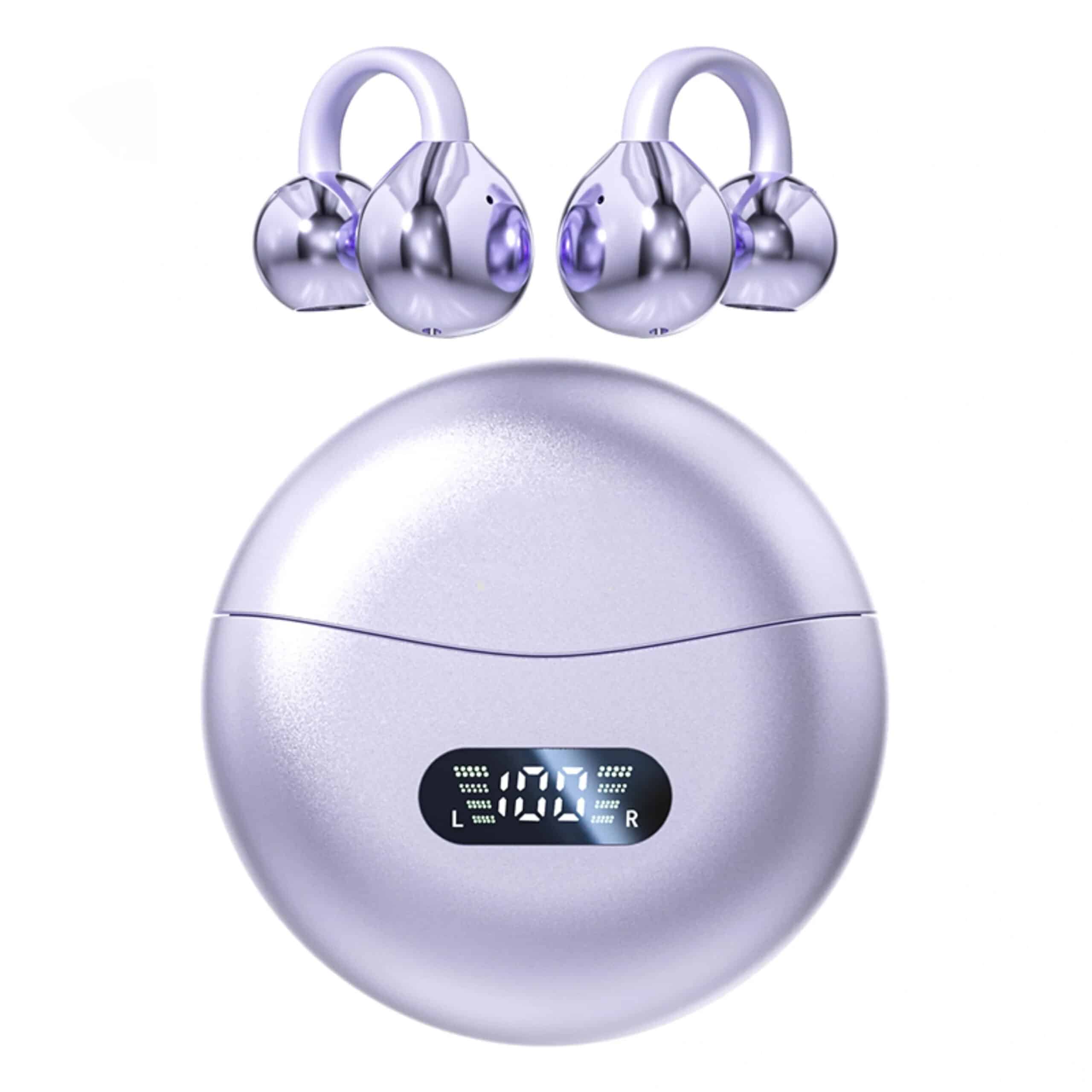
VoxClip is a pair of clip-on wireless ear buds that rest on the outside of the ear, with nothing inside the ear canal. A flexible memory-wire clip adjusts to the shape of your ear and is worn like an earring. A directional driver aims sound toward your ear canal, and the surroundings stay audible while you listen. The buds connect over Bluetooth 5.4, use a touch panel for music, calls and the voice assistant, and have dual beamforming microphones for calls.
 In this guideVoxClip$88.99View
Hook design with ear tips
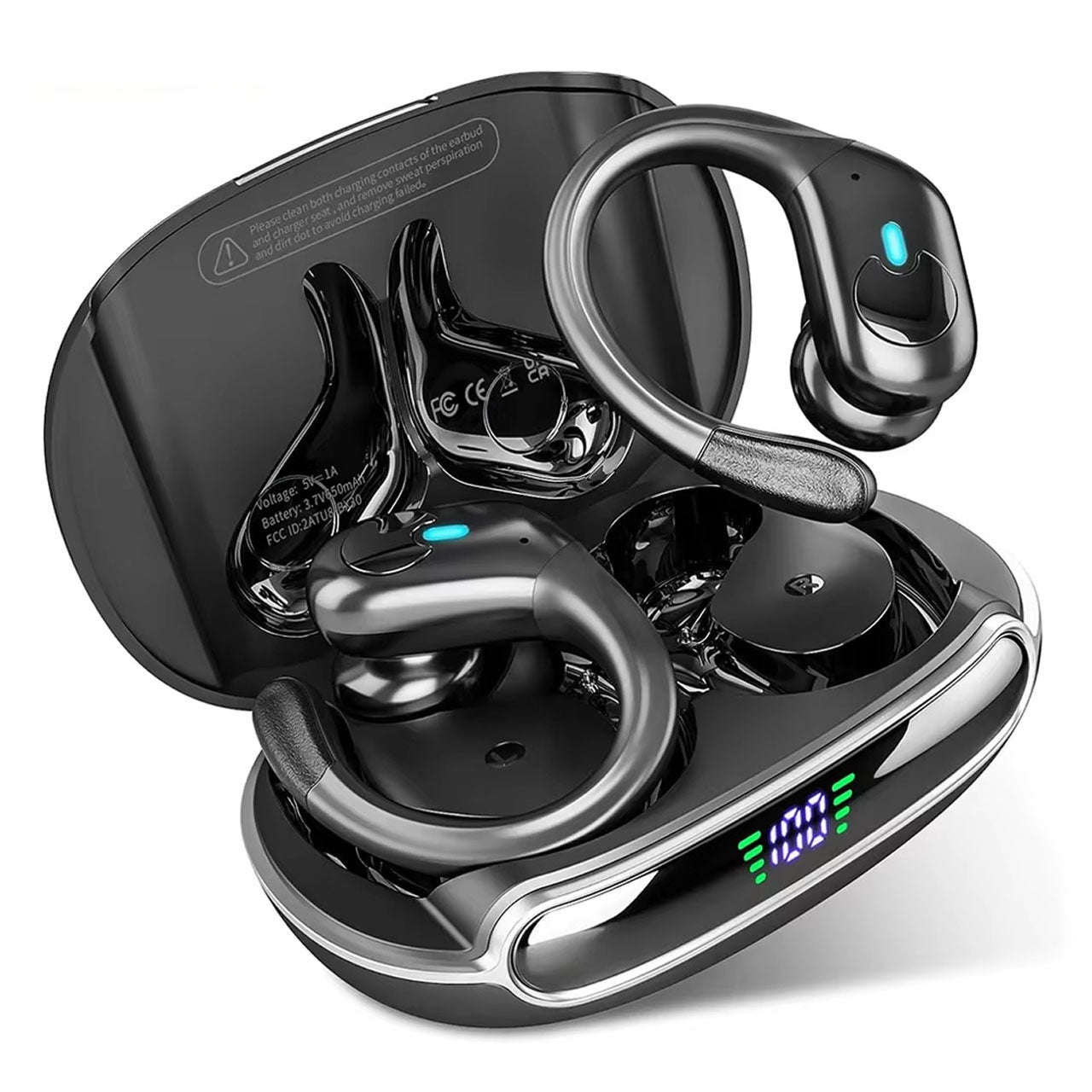
If you want a tip in the ear canal plus extra stability, PaceLock is a pair of Bluetooth sport earbuds with an over-ear hook and Bluetooth 5.3. It comes with three silicone ear tip sizes (S/M/L) and a hook that rests on the outer ear as a second point of contact. Volume, track skip and calls use physical buttons, which work with or without gloves. The charging case has an LED display for bud and case levels and charges by USB-C. It does not list active noise cancellation, so choose it for fit and controls.
 In this guidePaceLock$89.99View
You can browse more pairs in the Headphones & Earbuds collection.
Field note
Shop with your longest listening block in mind. If a listing gives battery hours only with ANC off, plan for fewer hours with it on, and keep a USB-C cable in your bag.
Common mistakes when buying wireless earbuds with active noise cancellation
- Buying on the ANC label alone and skipping the fit check. A leaking seal limits what ANC can do.
- Reading the ANC-off battery figure as the everyday figure.
- Assuming strong ANC means good call microphones; they are separate parts.
- Ignoring ear tip sizes. Check the box for small, medium and large.
- Skipping transparency mode when you walk, commute or work near others.
- Choosing touch controls when you wear gloves, or buttons when you prefer a light tap.
Short version: a five-step routine
- Pick the format: sealed in-ear for isolation, open or hook for awareness.
- Confirm several ear tip sizes and test the seal.
- Find the battery hours with ANC on and the case capacity.
- Check for multiple microphones and test a call in noise.
- Choose controls, charging method and Bluetooth version that match your phone and routine.