Translator Artificial Intelligence: Free Apps vs Handheld Devices
Free apps suit text, casual chats and planned online use. A handheld translator suits face-to-face talk, weak signal and a phone you want to keep free. The table sorts it out.
The Folio & Current Team
November 24, 2026 · 8 min read
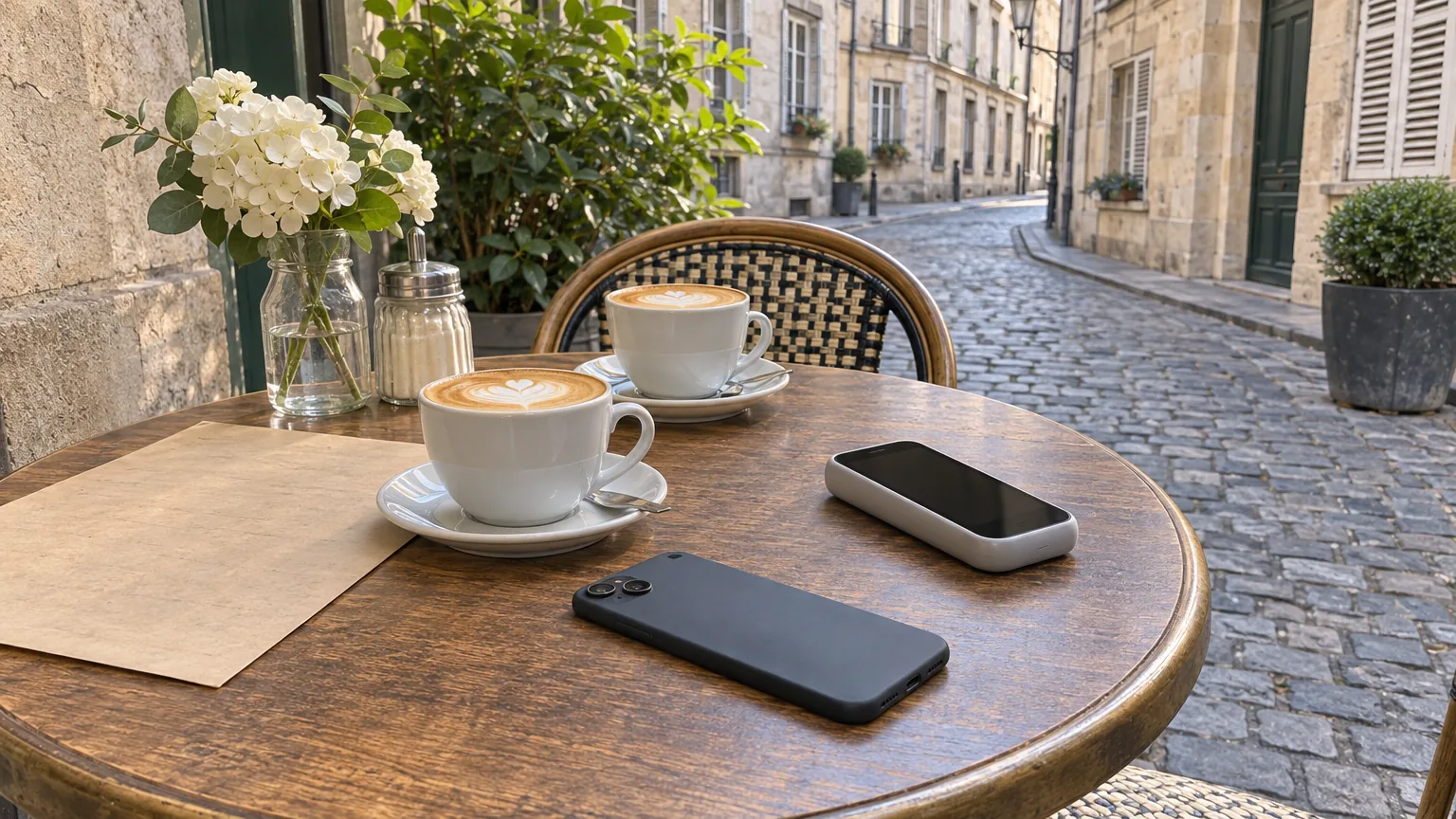
Translator artificial intelligence reaches you in two forms: free apps on the phone you already own, and dedicated handheld devices made for translating. Apps are a good fit for typed text, planned online use and occasional chats. A handheld is a good fit for face-to-face conversation, patchy signal and keeping your phone free for maps and messages.
This guide compares the two on the four points that decide the choice: offline use, noise, speed and privacy. It also covers what free tiers leave out, how to check a machine translation before you rely on it, and a checklist you can run before you travel.
Translator artificial intelligence: apps vs handheld devices at a glance
Use this table first. Each row is a situation you can check against your own plans, and the sections after it explain the reasoning.
| Question | Free AI translator app | Handheld translator |
|---|---|---|
| Cost to start | Free to download on a phone you own; check what the free tier includes | A separate purchase |
| Offline use | Depends on the app; language packs are a manual download before the trip | Check the offline language list on the product page |
| Noisy places | Uses the phone's microphone and speaker; try it in a noisy spot yourself | Uses the device's own speaker; try it in a noisy spot yourself |
| Back-and-forth talk | Screen toggles or a split-screen mode; the phone changes hands | Dedicated buttons for each speaker on one device |
| Reading signs and menus | Camera mode in some apps | Built-in camera on some models |
| Phone use meanwhile | The phone is occupied while translating | The phone stays free for maps and messages |
| Privacy | Text or audio may be sent to a server; read the app's settings | Check the manual for what is sent when online |
| Battery | Draws on your phone battery | Separate battery to charge |
How AI translation works, briefly
Early systems were rule-based: people wrote grammar rules and dictionaries, and the software swapped words. Statistical methods followed, matching phrases against large collections of existing translations. Current tools are built on neural machine translation, which reads a whole sentence and predicts the target language one piece at a time, and some add a large language model on top.
That matters in practical ways. Neural systems take word order and context inside a sentence into account instead of swapping phrases, but they still work only on the text they are given. Short, clear sentences give them plain material, while idioms, slang and cultural references can come out literally.
Quality also depends on the language pair. Widely spoken pairs have a lot of training material, while rare languages have less, so check that both of your languages are on the list before you rely on any tool. Translator artificial intelligence is a useful aid for travel and everyday talk. For contracts, official forms or anything with legal weight, ask a human translator to review the result.
Offline use: where the two differ
If you want an artificial intelligence translator free of charge, note that many apps are built around a live connection. Some apps do offer downloadable language packs, but you need to get them before you leave, and the offline list may be shorter than the online one. Open the app on your phone in airplane mode and see what still works.
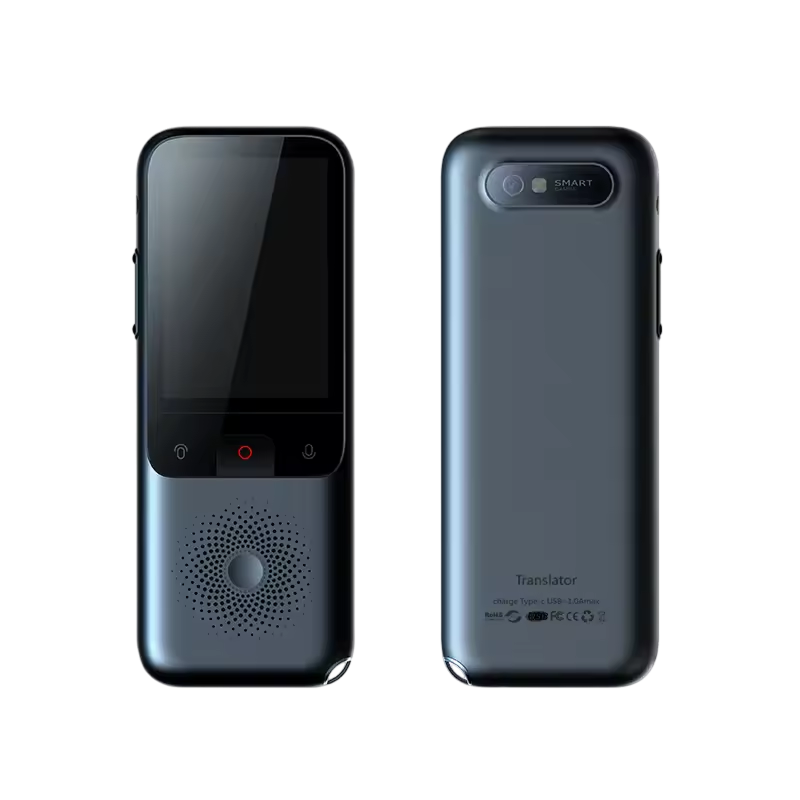
A handheld lists its offline coverage on the product page. The PhraseFerry uses online translation engines when connected and includes offline support for 11 languages, so basic conversations can continue without a connection. Photo translation is listed separately, with 60 languages available for photo use.
What to check before you go
- Which languages work offline, and whether your pair is among them.
- Whether offline mode covers speech, text, camera, or only some of these.
- Whether the offline packs need storage you have free on your phone.
Noise and conversation flow
Markets, stations and restaurants are loud, and any microphone has to sort one voice from the room. Holding the device close to the person talking and using short sentences can help with any tool. If the app asks you to tap a button for each turn, expect to hand the phone back and forth.
A dedicated device keeps the same two-person flow on one object. On the PhraseFerry, dedicated A and B buttons set each speaker's language, so two people talk in turn on one device without digging through menus. You press A or B, speak normally, then listen to the translated reply through the speaker.
Do not take a claim about noise on trust, from this page or any other. Try the app and the device in the same noisy spot, with the same sentences, and judge which one you can follow.
 In this guidePhraseFerry$129.99View
Speed and privacy: what you can compare yourself
Speed depends on your connection, the language pair and the length of your sentence, so no tool can promise a figure. Say the same three sentences into an app and into a device, in the same spot, and note how long each takes to respond. Do this at home on your normal connection, then again with the connection switched off.
For privacy, both options can send your words to a server when online. With an app, open the settings and look for options about saving history, sharing audio or using your input to improve the service. With a handheld, read the user manual and the product page for what the device does when connected. Avoid translating passwords, ID numbers or private documents with any online tool.
| Check | Where to look |
|---|---|
| Is history stored? | App settings or the device menu |
| Is audio uploaded? | Privacy section of the app, or the manual |
| Does it work with no connection? | Airplane-mode trial at home |
| Which accounts are linked? | Sign-in screen and phone permissions |

What free tiers can leave out
A free app is a fair way to try translation, but the free tier can come with limits. Read the plan description before you depend on it for a trip or a long document.
- Character or file-size limits on pasted text and uploaded documents.
- A sign-in requirement before voice or camera features unlock.
- Ads between screens, or a paid plan for an ad-free view.
- Offline packs that sit behind a paid plan or cover fewer languages.
- Limits on how many conversations or photos you can translate in a session.
None of these is a reason to skip an app. They are reasons to open the settings and the plan page at home, with a good connection, rather than at a ticket counter.
Check a machine translation before you rely on it
A machine translation is a draft. For a message to a landlord, a hotel booking or a school form, a few habits catch most slips. This step is often called post-editing in professional translation work, and you can do a light version yourself.
- Translate your text into the other language, then translate the result back into your own. If the meaning shifts, rewrite the original in plainer words.
- Replace idioms and slang with literal phrasing before you translate.
- Keep one idea per sentence, and write names, dates and numbers in a clear format.
- Compare the output from a second tool when the text matters.
- For legal, financial or official text, ask a human translator to review it.
When speech does not work, switch modes
Voice translation can stumble in a loud room or with an unusual accent. Switch to text mode and type the sentence, or show the screen to the other person. If the problem is a sign or a menu, use camera input, which the PhraseFerry offers through its built-in camera, with the translated text shown on screen. When there is no signal at all, fall back to the offline languages you downloaded or confirmed earlier.
Which one fits your situation
Free apps are a good fit if
- You mostly translate typed text, web pages or messages.
- You travel with reliable roaming or local data.
- You want to try a tool before buying anything.
- You are happy to keep the phone in hand during a conversation.
A handheld is a good fit if
- You talk face to face in turn with someone who speaks another language.
- You expect weak signal and want an offline language list to check.
- You want the phone free for maps, messages and tickets.
- You read menus, signs and labels in an unfamiliar script.
The PhraseFerry has a 2.4 inch touchscreen, 2GB memory and 32GB storage, in a body small enough to carry in a pocket. Its built-in camera shows the translated text of signs and menus on screen. The box holds the translator, a USB charging cable and a user manual.
Field note
Write down your three likeliest situations (a taxi, a menu, a hotel desk) and run each one through your chosen tool at home. A short rehearsal shows the gaps before you are standing in them.
Setup checklist before you travel
- List the two languages you need, plus any third one for transit.
- Download offline packs on your phone, or confirm the handheld's offline list.
- Switch the device to airplane mode and run a short conversation.
- Charge the handheld and pack its USB cable. If your trip includes Thailand, see our guide to the universal travel adapter for Thailand for plug types and voltage.
- Check privacy settings and clear stored history if you prefer.
- Practice with short sentences and a steady pace.
Common mistakes
- Relying on one language pair without checking it is supported offline.
- Speaking long, idiom-heavy sentences that translate literally.
- Leaving the download of offline packs until you are at the airport.
- Sharing sensitive details through any online translator.
If you want to compare devices, browse the Translators & Language Tech collection and read each product page for its language list and what is in the box. Whichever form of translator artificial intelligence you pick, rehearse it before the trip.