Smart Glasses With Translator: How Live Translation Works
Smart glasses with translator capture speech with microphones, send it to a phone for translation, then show it as text or play it as audio. Here is how to pick the format.
The Folio & Current Team
November 14, 2026 · 6 min read

Smart glasses with translator features capture speech through built-in microphones, pass it to a paired smartphone for translation, and return the result as subtitles in the lens or as audio near your ears. Yes, they can translate languages, but the result depends on the format, the connection and how clearly people speak.
This guide explains the two main formats, what causes delay, how offline languages fit in, and when in-ear translators are the better match for your situation.
How live translation works step by step
Every pair follows the same chain, whatever the frame looks like. Knowing the chain helps you see where problems start.
- Microphones in the frame pick up the speaker's voice.
- The audio travels over Bluetooth to your smartphone.
- A translation engine turns the speech into text, then into your chosen language.
- The result comes back to the glasses as text in the lens or as spoken audio.
Each step adds a small wait, which is why live translation feels like a short pause between a sentence and its translation rather than a word-by-word stream. Sentence-level processing, which VoxBridge uses, looks at full sentences for meaning instead of single words.

Display vs audio translation compared
The biggest choice is how the translation reaches you. Some frames show translated text in the lens. Others play the translation through speakers. A third format skips glasses and uses earbuds.
| Format | How you receive it | Fits when | Watch for | Example |
|---|---|---|---|---|
| Display glasses | Subtitle text in the lens while you look at the speaker | Noisy rooms, meetings, reading along | You read while listening, so eye focus shifts | LinguaLens |
| Audio glasses | Translation played by open-ear speakers | Walking, calls, music and translation in one frame | Loud streets can cover the audio | VoxBridge |
| In-ear translator | Translation in each person's own ear | Two-way chats with one language per side | Both people need to wear a bud | VerbaSync |
Neither glasses format needs you to stare at a phone screen, which is the main reason to choose them over a translation app alone.
Display translation: reading subtitles
LinguaLens shows translated speech as a MicroLED text overlay in the lens, within your field of view, so you read the subtitle while you look at the person speaking. It uses four directional microphones with noise reduction, meant for settings such as restaurants or meeting rooms where several people talk. It connects to a smartphone over Bluetooth 5.4.
The frame also works as headphones, reading glasses and sunglasses, and weighs 135g (about 4.8 oz). It charges through the included USB charging cable.
 In this guideLinguaLens$129.99View
Audio translation: hearing it
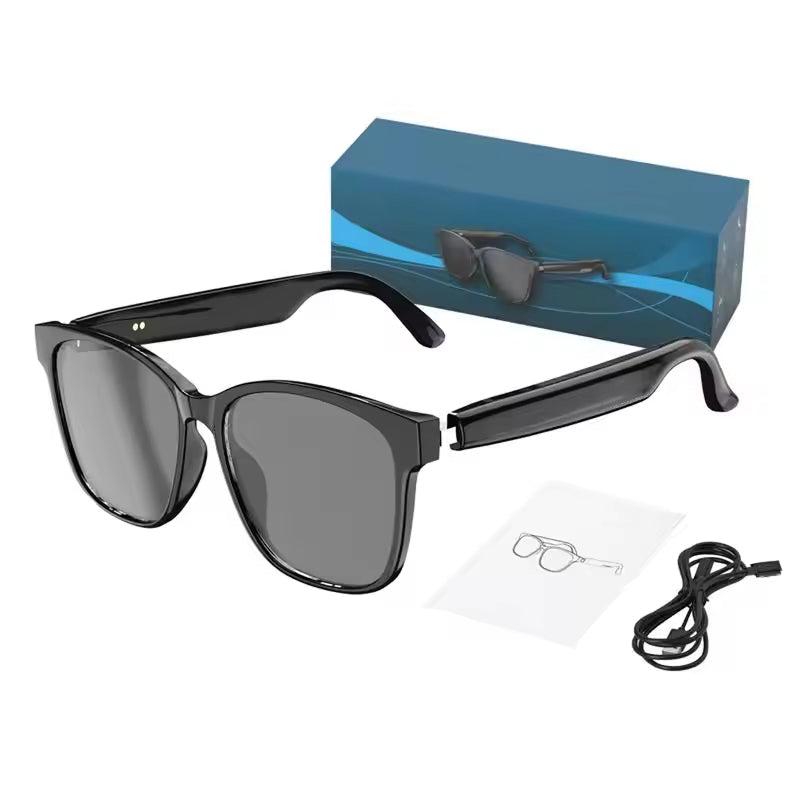
VoxBridge sends audio to a paired smartphone, and the companion app lets you choose a language pair from 75 supported languages. The translation plays through open-ear speakers that do not sit inside the ear canal, so the voice of the person talking and the sounds around you stay audible. The lenses tint automatically from indoor to bright light, and touch controls on the temple handle calls, music and starting a translation.
 In this guideVoxBridge$139.99View
Latency: what makes translation lag
Delay comes from the chain above, so you can reduce it with habits rather than settings. Speak in short, complete sentences and pause at the end. Long run-on sentences give the engine more to process before it can reply.
- Keep the phone close and the Bluetooth link uncluttered.
- Face the speaker so the microphones point at the voice.
- Avoid slang, idioms and overlapping talk, which lower accuracy.
- Take turns instead of interrupting.
Accents, background noise and fast speech also affect results, so use translations as a working aid and confirm important details such as prices, allergies or addresses in writing.
Offline languages and connection needs
Both glasses here pass audio to a paired smartphone, and VoxBridge uses a companion app for translation. Whether a given language works without a data connection depends on the app and the language pack, so check the product page and the manual before a trip. If the page does not say, plan for a connection.
Before you travel, use this short checklist:
- Pair the glasses with your phone and run a test conversation at home.
- Choose your language pair and confirm it appears in the app.
- Charge the glasses and the phone, and pack the USB cable.
- Check how you will get data abroad, such as a local plan or hotel Wi-Fi.
Field note
Do a practice conversation with a friend before you travel, using the exact language pair you need. It shows you how loud to speak and how long to pause.
When in-ear translators fit better
Glasses suit a person who wants one frame for translation, calls and sun. In-ear translators fit better when both people need to hear a translation, since each person wears a bud and hears the other side in their own language.
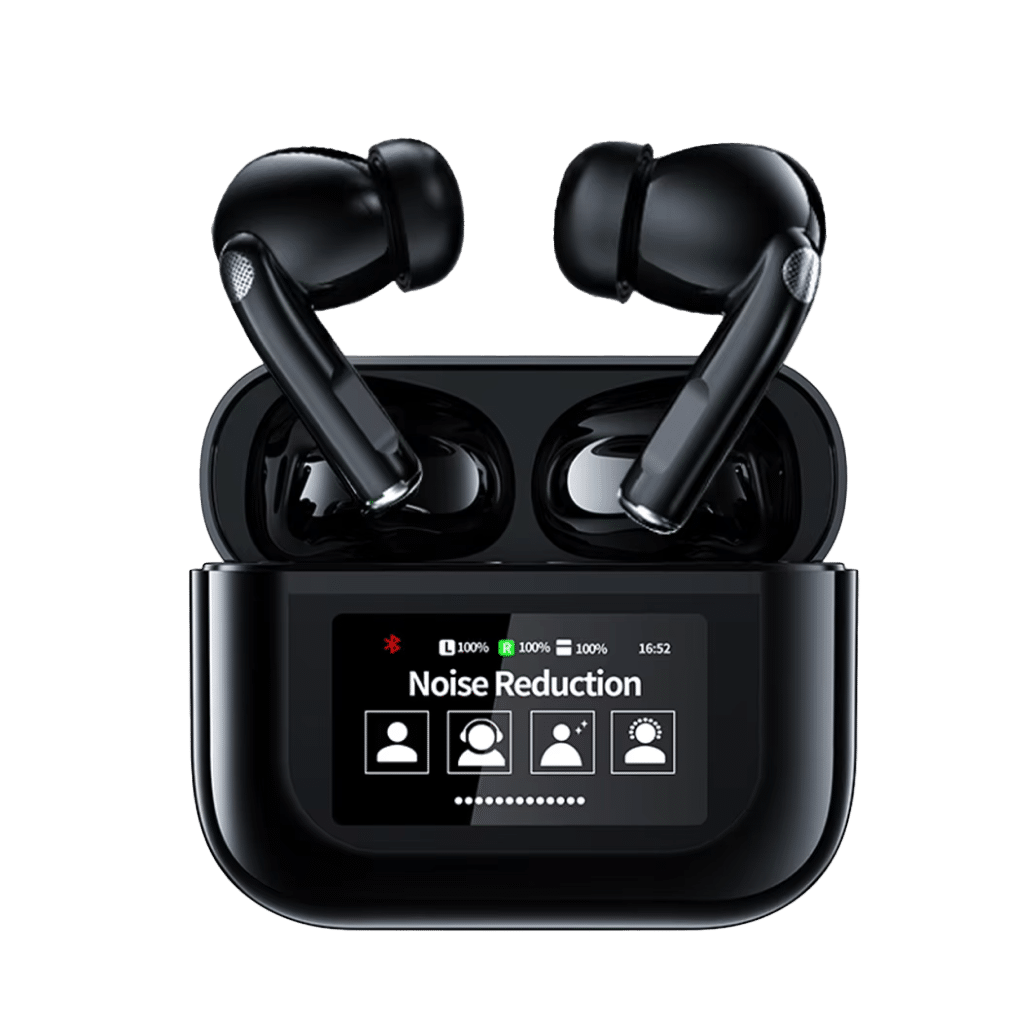
VerbaSync is a pair of in-ear translator earbuds that connect to your phone over Bluetooth. You pick two languages, one for each side, and each person hears the translation in their own ear, so no one hands a phone back and forth. Directional microphones face the speaker and are designed to filter background sound such as street noise, wind and crowd chatter. Touch controls switch languages, change volume or answer calls, with a short voice cue for each command. A charging case and USB cable are included.
 In this guideVerbaSync$69.99View

Camera, AI glasses and smart glasses: the differences
Smart glasses is the broad term for eyewear with electronics such as speakers, displays or cameras. AI glasses usually means a model that leans on an assistant for tasks such as translation, answering questions or describing what you see. Many pairs are both. For a wider view of the types, read What Are Smart Glasses? Types, Uses and Limits Explained.
If you want smart glasses with camera and translator in one frame, check each specification list for a camera, because translation does not require one. The translator glasses we stock list microphones, a lens display or open-ear speakers, and the product pages do not list a camera. Our smart glasses and heads-up displays collection shows the full range if you want to compare other features.
How to choose smart glasses with translator, and common mistakes
Match the format to your main situation, not to a feature list. There is no single winner for every buyer, so use these decision steps.
- Choose display glasses when you often sit in loud rooms and can read while you listen.
- Choose audio glasses when you walk, take calls and want to hear the room too.
- Choose in-ear translators when both people join the conversation.
- Check the language list for the exact pair you need.
- Confirm the offline and connection details on the product page.
Mistakes to avoid
Do not assume a headline number of languages covers your pair. Do not try the glasses for the first time at a counter with a line behind you. Do not rely on a translation for legal, health or financial details without a human check. Finally, remember that glasses need a charged phone nearby, since the translation runs through it.
If you also record meetings, see AI Meeting Note Taker: Apps vs Dedicated Recording Devices for how recording tools differ from live translators.