
Portable Bluetooth Speaker Wireless Guide: How to Choose One
Pick a portable Bluetooth speaker by where you will use it: size and sound for home, weight and charging for travel, sealed build and output for outdoors. This checklist shows how.
Ryan Kessler
October 13, 2026 · 7 min read
Choosing a portable wireless Bluetooth speaker comes down to four checks: how long the battery has to last between charges, how much volume the space needs, how much water and dust protection the build offers, and how big the speaker can be. Rank those four by where you listen most, and the choice narrows quickly.
This guide gives you a decision order, a table that shows which factor matters for home, travel and outdoor listening, and a short list of mistakes that lead to returns.
Wireless versus Bluetooth: "wireless" is the broad term for any speaker that plays without a speaker cable. Bluetooth is one way to do that. It links the speaker directly to a phone, tablet or laptop, with no home network required.
Other wireless speakers rely on Wi-Fi and a home network, which ties them to a router and usually an app. A portable Bluetooth speaker works anywhere your phone does, which is why it suits a beach bag or a backyard. If a listing says only "wireless," check the connection type before you buy.
Match a portable wireless Bluetooth speaker to where you use it
Most disappointment comes from buying for the wrong room. A compact speaker that sounds fine on a desk can be swallowed by a backyard. A heavy outdoor unit can be a nuisance in a carry-on.
Pick your main use first, then use the table to see which specs deserve your attention.
| Factor | Home | Travel | Outdoor |
|---|---|---|---|
| Battery capacity | Low priority; you can plug in | High; charging points are not always handy | High; no outlet nearby |
| Loudness and output | Medium; rooms are small | Medium | High; open air spreads sound out |
| Water and dust protection | Low | Medium; bags get damp | High; splashes, sand and rain |
| Size and weight | Low priority | High; it must fit a bag | Medium; you carry it to the spot |
| Stereo pairing | Nice for larger rooms | Rarely needed | Useful for yards and gatherings |
| Charging port type | Any | A common cable you already pack | Sealed or covered port |
Battery: read the capacity, then plan the charging
Battery size is listed in milliamp-hours (mAh). A larger number means a larger battery, but playing time also depends on volume, the speaker's drivers and how it is used. Because makers measure playtime differently, read any hour figure on a listing as a rough guide and compare capacity where you can.
Look at the charging side too:
- Port type. USB-C is common on phones, laptops and many power banks, so one cable covers several devices. Micro USB still appears on some speakers, so pack the cable that came with it.
- Status lights. LED indicators that show battery level help you avoid a dead speaker mid-gathering. The manual explains the patterns.
- Power source. A standard USB power source or power bank is enough for most speakers. Follow the manual for what the speaker accepts.
Loudness: output, drivers and room size
People searching for the loudest portable Bluetooth speaker usually want one number, but volume is not a single spec. Wattage hints at amplifier output, while driver count and size, enclosure design and where you place the speaker all shape what you actually hear.
What to compare
- Output in watts. Useful when comparing similar speakers. A higher figure points to more amplifier headroom for open spaces.
- Number of drivers. Two full-range drivers cover a different area than one, depending on the layout.
- Bass design. Passive radiators add low-frequency output without a separate powered subwoofer. Many compact speakers use them.
- Sound direction. A 360° design spreads sound around the unit, which suits a table in the middle of a group. A forward-facing speaker suits a shelf against a wall.
Indoors, small and mid-size output is usually enough. Outdoors there are no walls to bounce sound back, so you need more output for the same sense of volume. Pairing two speakers is another way to cover more ground.
Water and dust protection: what the label means
Look for an IP code, such as IPX7 or IP67. The first character covers dust and the second covers water; an X means dust was not specified. A higher second digit generally means more water protection, and the exact definition is set by the code itself, so check the listing for the full code.
If a listing gives no code, look for plain-language details: sealed ports, sealed seams, a floating body, and care instructions in the manual. Those details tell you how the maker expects you to use it.
Whatever the protection level, think of it as splash and weather resistance, not a license to ignore care. Rinse off sand or salt with fresh water if the manual says so, dry the speaker, and keep the charging port dry before you plug anything in.

Choosing a portable Bluetooth speaker for outdoor use
For a good outdoor Bluetooth speaker, weigh the build and output more heavily than anything else. Open air is demanding on both. Here is how two speakers in our Speakers & Sound Systems collection fit different outdoor needs.
Compact and carry-anywhere: SoundHaven
SoundHaven pairs a 10W driver with passive radiators and a 360° stereo projection. Its ports and seams are sealed, it floats, and the manual covers care such as rinsing with fresh water and drying. It connects over Bluetooth 5.2 with no app, and charges through Micro USB with the included cable. LED indicators show battery status.
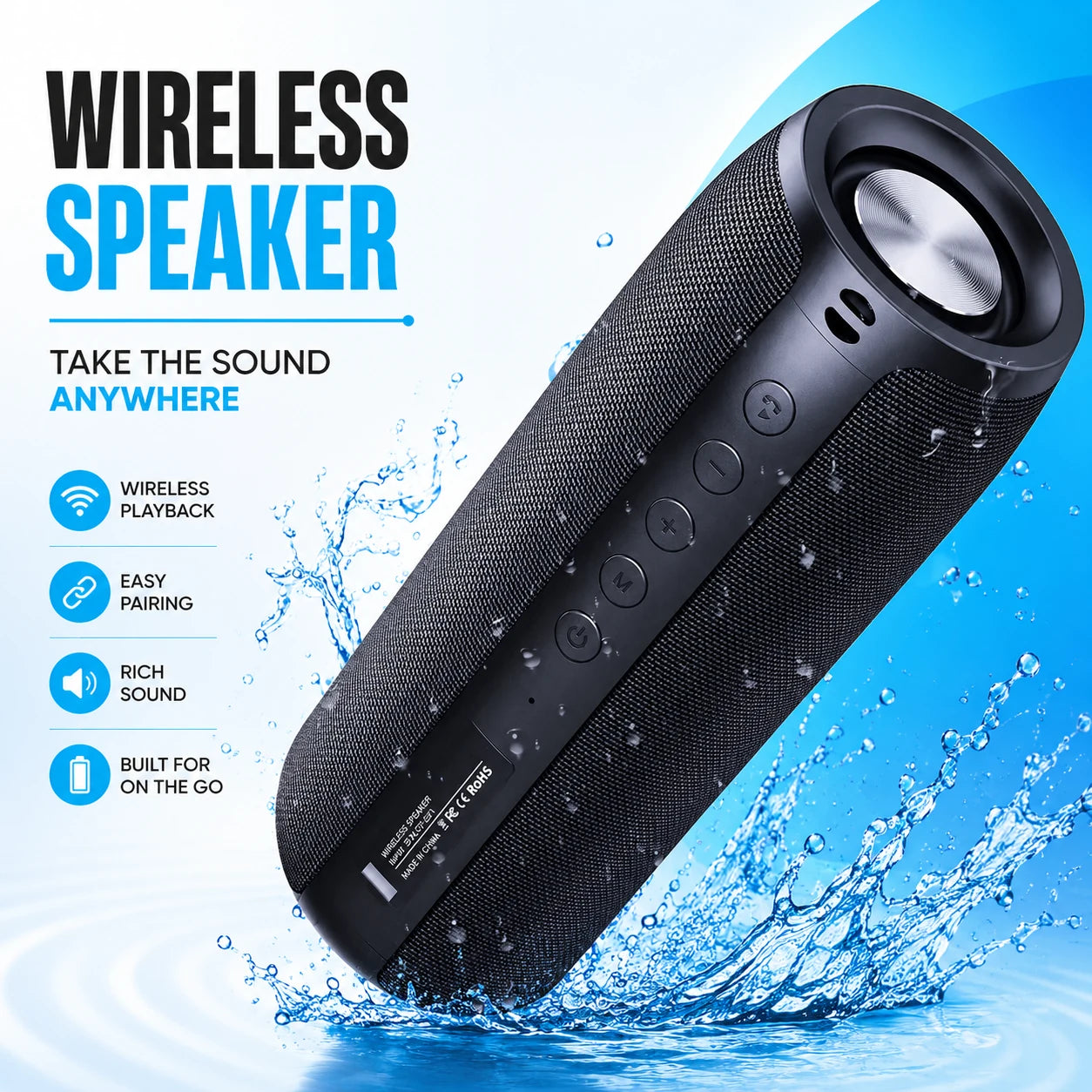 In this guideSoundHaven$99.99View
Larger output for yards and gatherings: TerraSound Pro
If the space is bigger, TerraSound Pro uses dual full-range drivers with twin amplifiers for a combined 40W output. It has a 3700mAh battery, USB-C charging, and a charging port with a sealed build and no separate rubber flap to open or tear off. You can stream over Bluetooth 5.3 or load a Micro SD card with your music files.
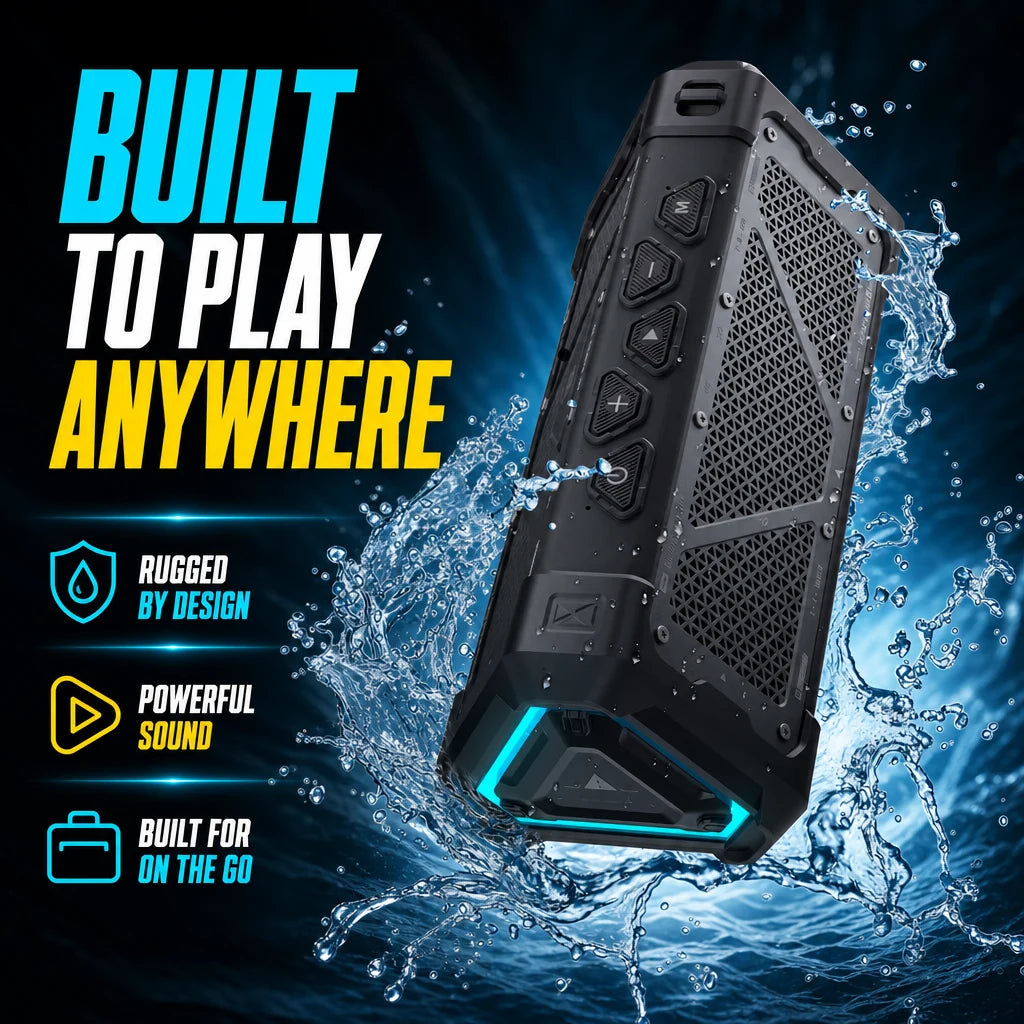 In this guideTerraSound Pro$129.99View
Stereo pairing: when one speaker is not enough
An outdoor Bluetooth speaker system does not have to mean permanent installation. Many people build one by pairing two portable units. Both speakers above support it: SoundHaven pairs with a second SoundHaven by holding the pairing control, and TerraSound Pro uses TWS pairing so one unit takes the left channel and the other the right.
Two matching speakers can cover a larger yard or room than one, and you can separate them again for travel. Pairing generally requires two units of the same model, so check this before buying a second speaker.

Field note
Before an outing, connect the speaker to your phone at home and play it at the volume you expect to use. It is much easier to sort out pairing or a low battery in your kitchen than on a trail.
The decision checklist
Work through these steps in order. Stop when one narrows your options to two or three speakers.
- Name the main place. Home shelf, carry-on bag or open-air spot.
- Set a size limit. Measure the bag pocket or shelf if space is tight.
- Check the build. For outdoor use, look for an IP code or clear details on sealed ports and seams.
- Compare output and drivers. Match them to the space, not to the biggest number.
- Check the battery and port. Choose a port type that matches the cables you already carry.
- Confirm the connection. Check the Bluetooth version and whether pairing needs an app.
- Decide on stereo. If you may want two speakers later, confirm the model supports pairing.
Common mistakes and a simple care routine
- Buying on wattage alone. Placement and speaker design affect what you hear.
- Assuming every speaker handles water. Read the specific protection details and the manual's care steps.
- Forgetting the cable. Keep the charging cable in the same bag as the speaker.
- Leaving it in a hot car or direct sun. Follow the manual's storage guidance.
- Skipping the manual. The LED light patterns and pairing steps are explained there.
A short routine after each use helps you care for the speaker. Wipe it down, and if the manual allows, rinse off sand, salt or chlorine with fresh water. Let it dry fully before charging.
Charge it before a trip rather than at the last minute, and store it somewhere dry and shaded. If you will not use it for a while, follow the manual's advice on battery storage. Keep the charging port clean and dry, and do not force a connector into it.